A card moves. The whole plan keeps up.
A board tells you a card moved. DevStride tells you what it means: parents re-total, timelines re-date, dependent work shows the hit. Boards, tables, 2D views, and Gantt timelines all read from the same work items, so a move in one is a move in all.
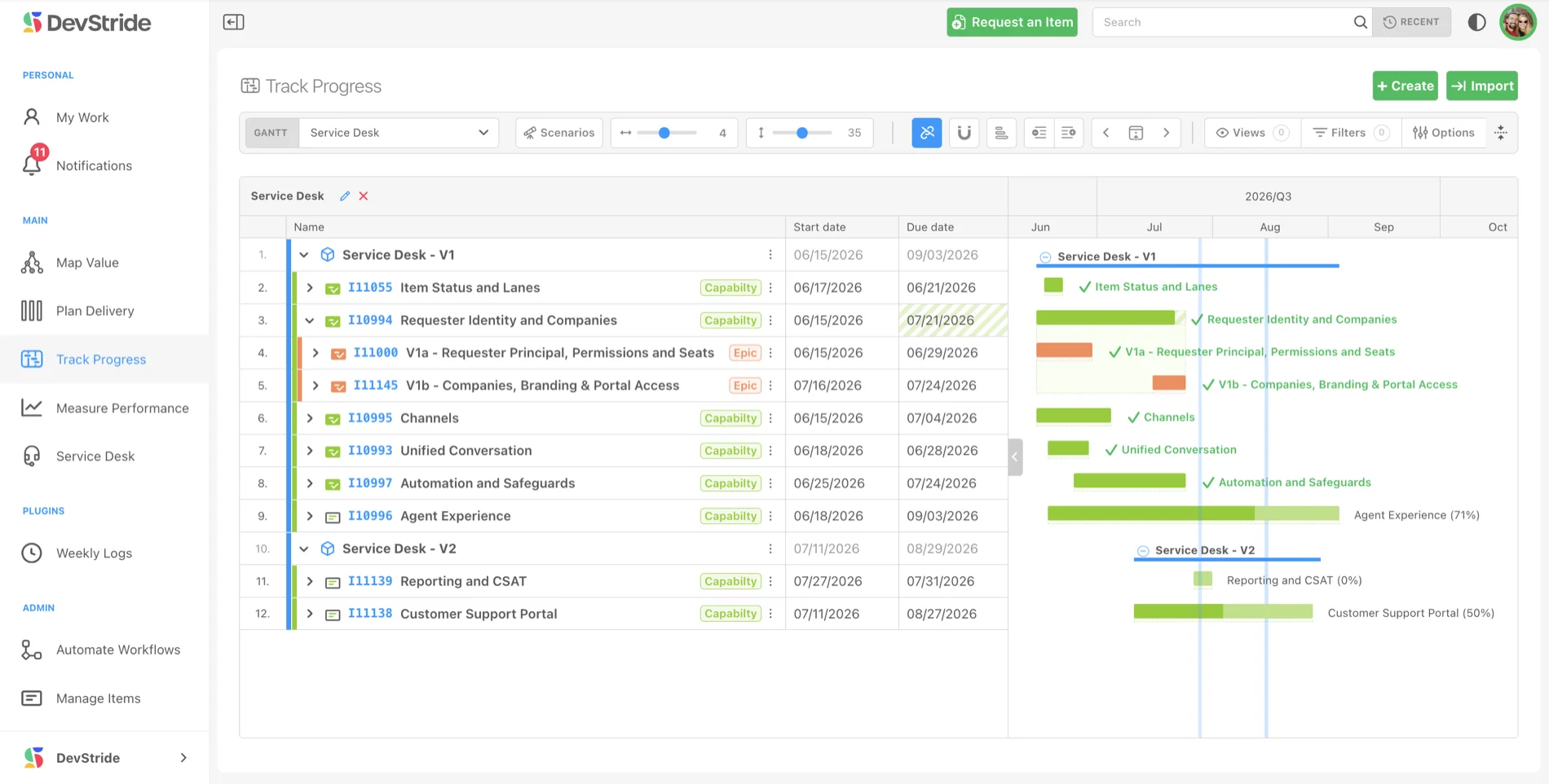
Moved anywhere, current everywhere
Change a status in an item, on a board, in Manage Items, or on the Gantt, and every other view catches up at once. Parents re-total their status and completion, timelines re-date, and dependent work surfaces the impact, so no one is working from a stale picture while someone else has the current one.
- Status changes made in an item, a board, or the Gantt appear in every other view
- Moving a task triggers status and completion rollups for its parents
- Board summaries show items, team members, and estimated versus actual hours
Every view of the work, one source of truth.
Boards and Gantts are views onto the same items, not copies of them. Pick the picture that fits the moment, from a kanban column to a multi-year roadmap.
Status boards
Work items as cards in columns you customize to match your workflow. Drag a card between statuses and the item updates with it.
Table view
A spreadsheet-style view with sortable columns, filters, bulk actions, and an expandable parent and child hierarchy. Built for reviews, planning, and stand-ups.
2D view
Plot items on two axes, by status, priority, or assignee, to spot workload imbalance at a glance. Flip on the dependency graph to see how work connects.
Gantt roadmaps
Visual timelines organized by initiative, zoomable from days to years, with milestones, dependency lines, and conflict warnings.
Status that follows the work
Change a status on the board, in the item, in Manage Items, or on the Gantt, and every other view reflects it. Parent status and completion totals roll up automatically.
Saved and shared views
Save your filters, zoom level, and layout as a named view. Keep it to yourself or share a link, so stakeholders see exactly the picture you set up.
The same board, more than one way to see it.
Three ways to see the same board
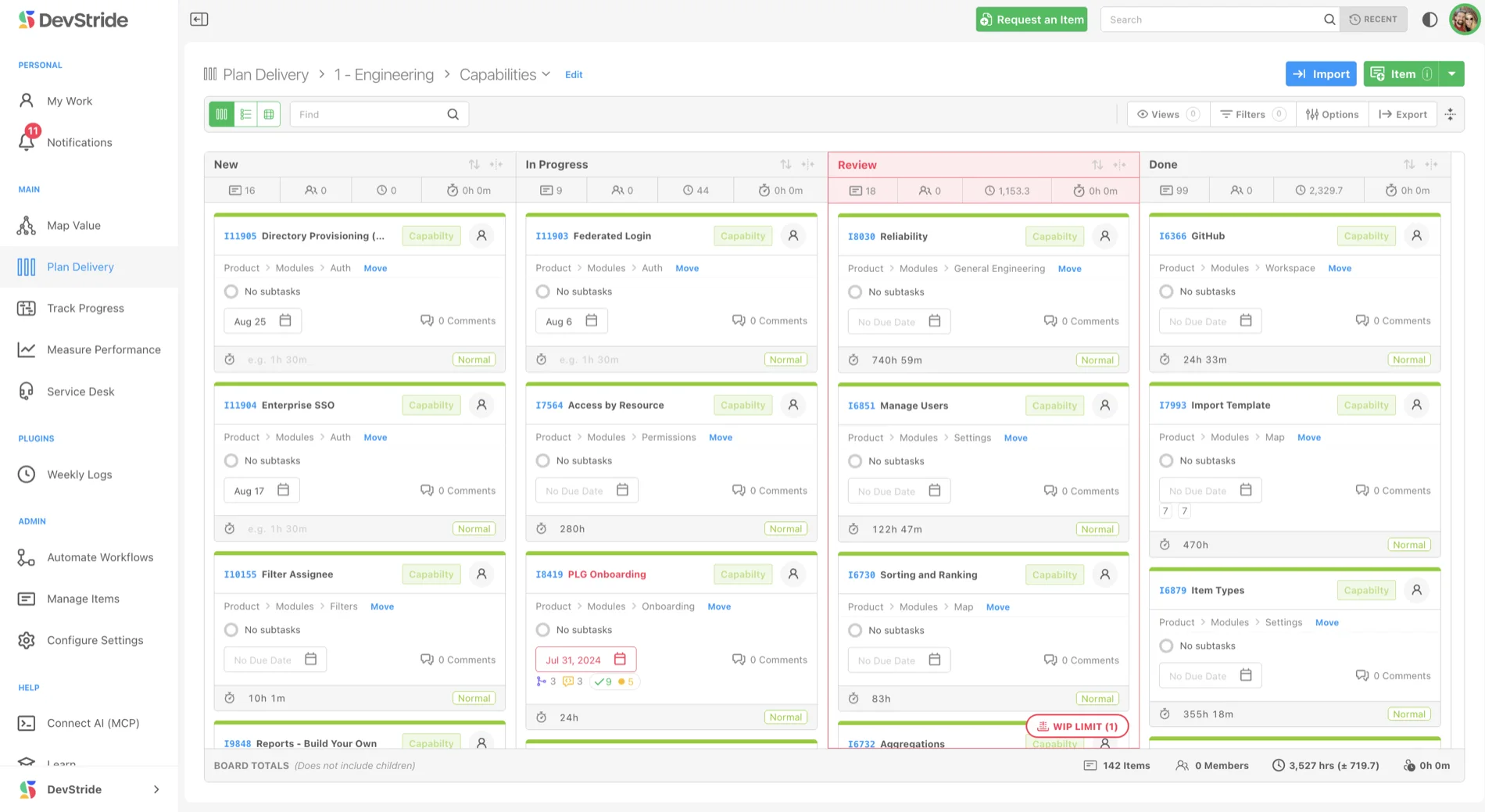
Every board opens as status columns, a detailed table, or a 2D matrix. Same items, same live data, a different lens for a different question.
- Drag cards between statuses, or jump one to the top or bottom of a column
- Sort, filter, and bulk-edit items in the table view
- Set either 2D axis to status, priority, assignee, or a custom field
- WIP limit warnings flag a column before it becomes a bottleneck
Roadmaps that stay tied to the work
Gantts in DevStride are not a separate artifact to maintain. They are built from your boards, cadences, and dependencies, so the timeline reflects how work is actually moving.
- Drag a bar to reschedule, and the item's dates update everywhere
- Snap to cycles to view the plan through any team's cadence, including another team's sprints
- Map dependencies on the chart, with linked mode to propagate date changes down the chain
- Roll up to initiatives for executives, or expand levels for team-by-team detail
Track Progress reads from the same work items your team plans, delivers, and measures, so status is a view of reality, not a report someone compiled.
Map Value
Define strategy and the outcomes that matter.
Plan Delivery
Sequence the work, dependencies, and timelines.
Measure Performance
Analytics and roll-ups that show what's working.
Service Desk
Support requests in the same system as the work.
Knowledge Base
One article for your team, your customers, or both.