Your whole delivery lifecycle, in one system.
Map the value, plan the delivery, track the progress, measure the outcome. Every stage runs on one shared model, so your timeline, portfolio, and status stay current on their own, no matter who or what moved the work.






A connected loop, not a pile of tools.
Map the value, plan the delivery, track and measure as you go, and handle support in the same loop, feeding every cycle into a sharper next one, whether you deliver a product or a client engagement.
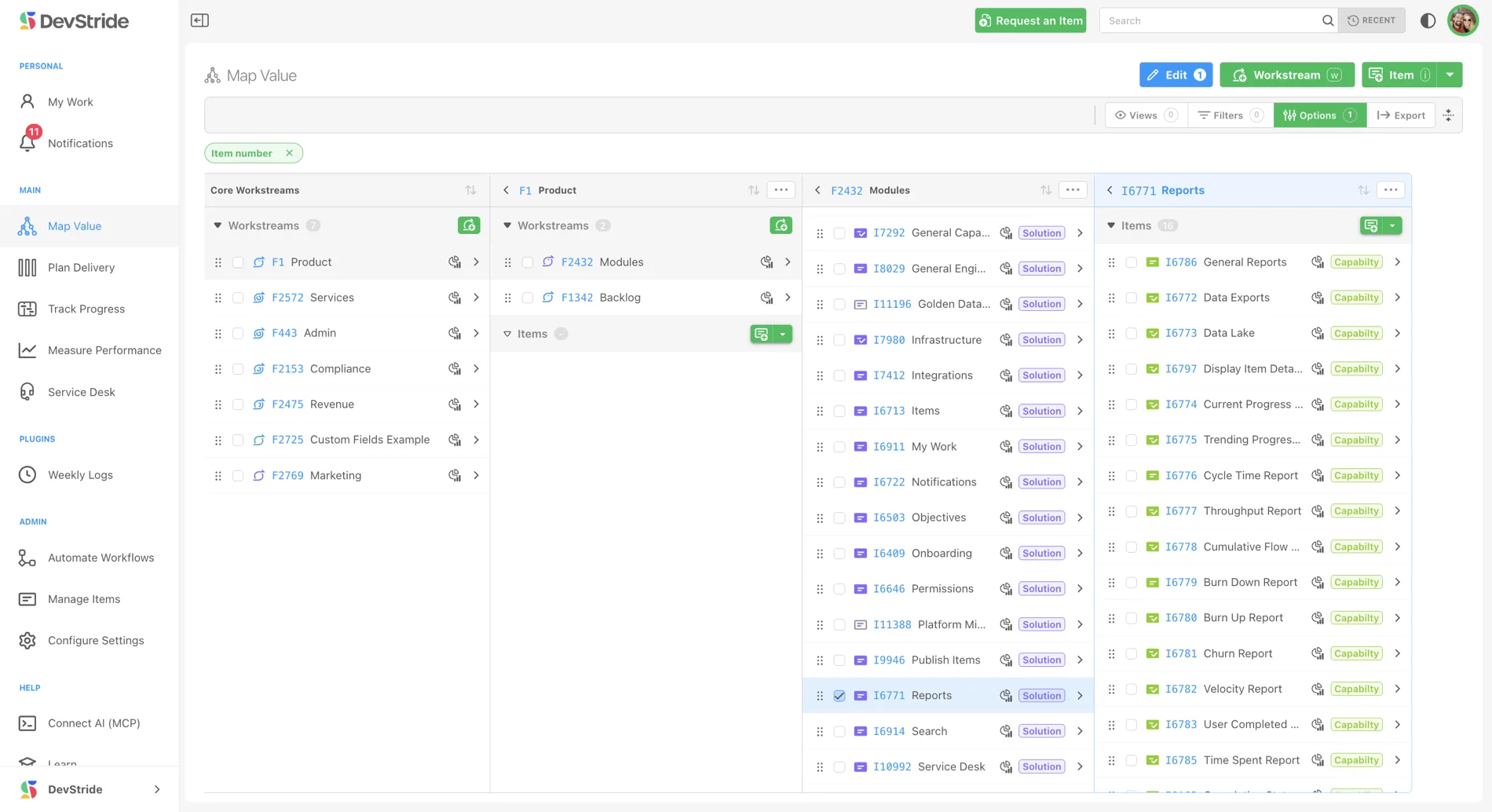
Map Value
Separate the what from the how, mapping the value in one tree and planning the work in another. The model that makes a plan legible at a glance.
Plan Delivery
Sequence the work, the dependencies, and the timelines.
Track Progress
Live status across every team and every project.
Measure Performance
Analytics and portfolio roll-ups that show what's working.
Service Desk
Customer support in the same system as the work, where a support ticket is a work item.
Knowledge Base
Write an article once and publish it to your team, your customers, or both.
One tool instead of six, and it tells you when it'll be done.
Adapt as priorities shift, without losing the timeline. DevStride connects strategy, work, and delivery dates so your teams stay flexible and your commitments stay reliable, whether you're shipping a product or delivering for clients.
MCP-native.
A shipped OAuth 2.1 server your agents read and write through, assessing risk, proposing changes, drafting plans, with your team making the calls. Explore the MCP Server →
Workstreams & boards
Organize work into modules, capabilities, and epics, with boards that mirror how your teams actually deliver.
Live Gantt & roadmaps
The one always-current answer to ‘when will it actually be done.’ Live dependencies plus scenario planning, so a slip shows its downstream impact before it surprises the client.
Portfolio roll-ups, included
Every project and initiative in one view, with program and portfolio roll-ups. Not a premium tier, not an add-on.
One system, not a patchwork
DevStride replaces the tangle of disconnected planning tools. It connects to what you actually need: GitHub linking for commits and PRs, outbound Slack notifications, and a read-only PostgreSQL replica that serves your BI stack (Metabase, Tableau, Power BI).
Customer support, in the same system as the work.
Support usually lives in a separate help desk, cut off from the work your team actually does. In DevStride, a support ticket is a work item, so a customer request sits right next to the delivery work it depends on, and rolls up into the same boards and reports.
- A ticket is a work item, with owners, priorities, and due dates.
- The customers you serve never take up a paid seat.
- Public replies and internal notes stay separate, always.
From the boardroom to the client.
Leaders, managers, and the people doing the work interact with the same system, and you control exactly what the clients you deliver for can see.
See the whole portfolio
Real-time visibility from strategy to delivery. Know what's on track, what's at risk, and where to step in, without chasing status.
Coordinate beyond one team
Manage dependencies across groups, balance capacity, and keep commitments on date, with minimal overhead.
Know what's next
Clarity on the work that matters, in the boards and views that fit how you actually deliver.
Shared on your terms
Look credible to your client. Give them a live, scoped view where the plan fills in on schedule, showing exactly what you choose. Some teams bring clients in, others keep it internal. Always your call.